Foxit Reader has some of the more expensive features of Adobe - create PDFs with fillable forms, collaborative framework, the ability to annotate, mark-up, strike text, and add comments - without any of the hassle or expense of purchasing an Adobe Suite.
Foxit is my default PDF viewer.
Showing posts with label worksheets. Show all posts
Busy Teacher.org
Busyteacher.org boasts a database of over 5,000 worksheets available for teachers to download and print to create fast, fun lessons in a flash.
Guided-Notes Maker
Summer is a great time to get stuff done! One of my goals this summer is to (at least) organize some reading interventions for Unit #1 in September, and here's a nifty device to help me do just that!!!
I've blogged before about the site Intervention Central, but their Guided-Notes Maker is pretty darn cool and simple to use.
Just copy and paste your lecture or activity notes into the spaces provided and voilĂ ! You've just created a PDF/Fill-In-The-Blank Version for your struggling students. Teachers can also customize the "blanks" to provide more or less support as students need.
I've blogged before about the site Intervention Central, but their Guided-Notes Maker is pretty darn cool and simple to use.
Just copy and paste your lecture or activity notes into the spaces provided and voilĂ ! You've just created a PDF/Fill-In-The-Blank Version for your struggling students. Teachers can also customize the "blanks" to provide more or less support as students need.
Freeology
One of my favorite 'go-to' websites is Freeology. This site provides a whole host of free, download-able graphic organizers (PDF's) that are easily adaptable to any lesson plan. Not only is the standard Venn Diagram available, but also KWLH, Fishbone, Spiderweb, Ladder, Chain/Sequence, Paragraph Hamburger, Open Mind, Vocabulary Exercises, Cause/Effect, and many more.
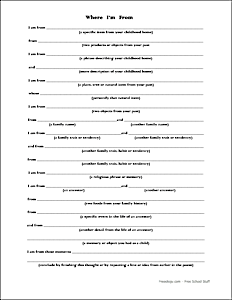
The website has a search bar, but I find it much easier (and quicker for some reason), to scroll down and zip through each page. When I find an organizer that I like, I click on the picture and save it to my computer. New stuff is added periodically. Here's one that's just been added:
Subscribe to:
Posts (Atom)